

THRESHOLD will be closed on Friday, April 3rd. We will reopen for business on Monday, April 6th.  

Secure. Visible. Verified.
Affordable Visitor Badges
for Schools.

Make school safety a priority with visitor badges designed for quick identification and improved security. Security badge stickers are available with optional expiring technology (badges change color overnight).

visitor management system for schools, visitor badge for schools, visitor stickers for schools

Key Benefits

time management

Quick & Efficient Visitor Management

Improved Accountability & Record Keeping

Improved Accountability & Record Keeping

Enhanced Student & Staff Confidence

Enhanced Student & Staff Confidence

Increased Security & Safety

Supports Compliance Requirements

Supports Compliance Requirements

school bus

Product Details & Options

Visitor Badges

Badge every visitor!

All visitors should present an ID and wear a badge throughout their visit. The badge shows staff that the visitor has been through the security protocol.

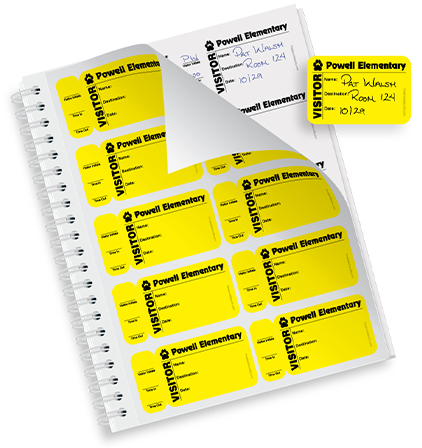
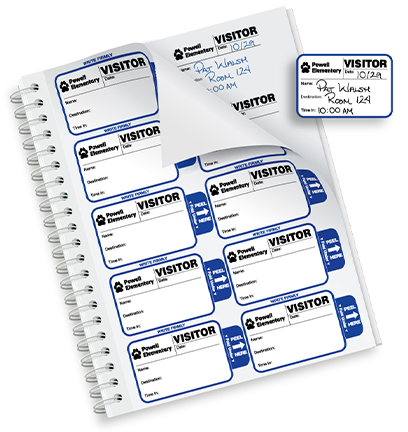
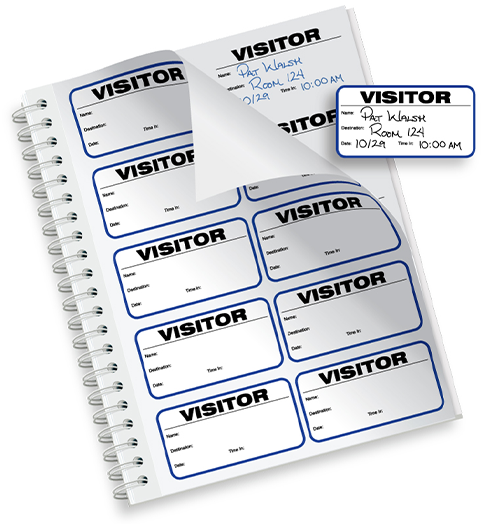
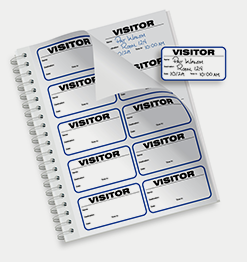
Badges in Sign-In Books

Badge every visitor

Create a visitor badge for  wearing identification and a duplicate log for record-keeping, all in one writing!

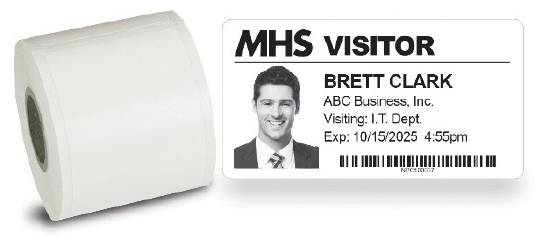
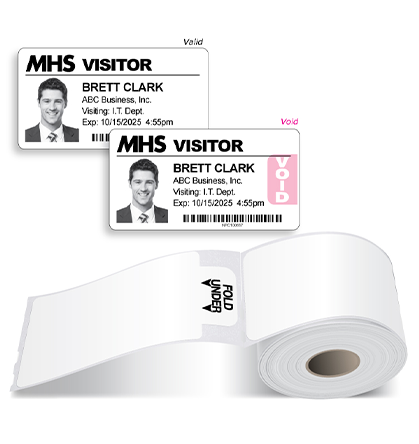
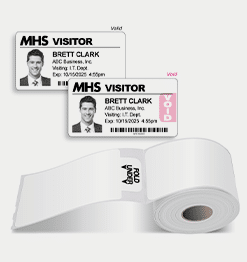
Badges on Rolls for Software

Badge every visitor


Our badges are compatible with popular school visitor management software, including RAPTOR, and label printers such as Brother, IDPRT, Seiko, Zebra, DYMO (400 series only), EPSON, and Primera. 


Who has permission to cross your threshold? With our state-of-the-art Expiring Technology we will keep your facility and staff safe.

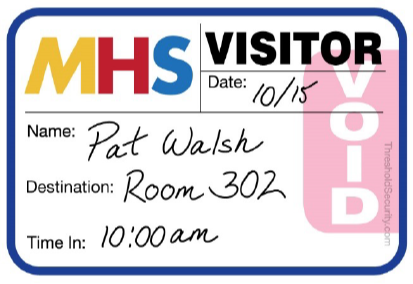
Badges with Expiring Technology change color overnight to prevent reuse.

Threshold Time Lapse

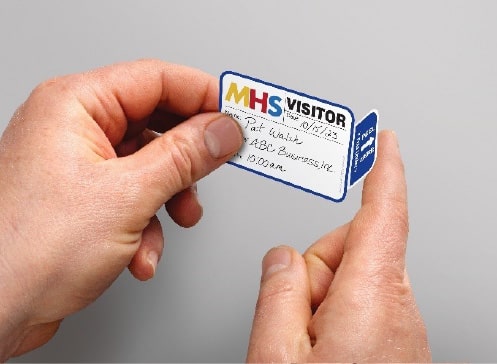
How it works:

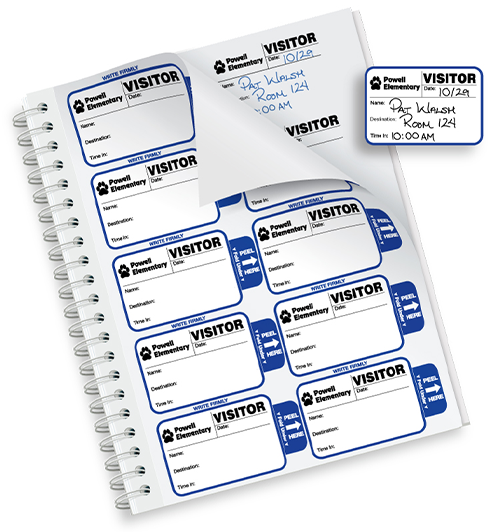
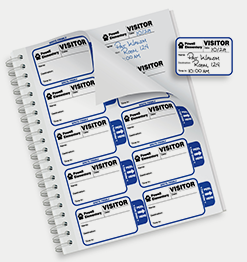
  1. Complete the badge with visitor information and simply fold the tab back to activate.
How It Works - Expiring Visitor Badges

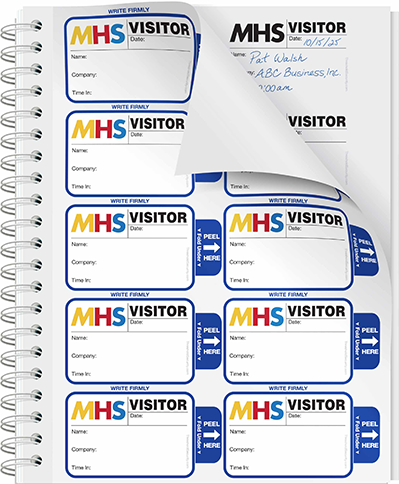
Available in books for handwritten use:

TAB Expiring Badges in Books
  1. The badge changes color by the next day and is Void.
Expiring Visitor Badges - Void

Available on Rolls for software printers:

Compatible with popular school visitor management systems, like Raptor.

Tab Expiring Badges on Rolls

Expiring badges change color overnight so they can’t be reused.

Here are the reasons to use expiring badges:

  1. Visual Alert: Badges show a red VOID making it easy to spot expired ones.
  2. Peace of Mind: A WHITE badge means a visitor registered today and their ID is current.
  3. Discourage Reuse: Expired badges show “VOID”, preventing reuse.
  4. Prevent Unauthorized Access: Visitor wearing an Expired badge should not be allowed in.
  5. Extra Security: Expiring badges require daily sign-ins for tighter control.
  6. Convenience: No need to collect badges—expired ones can’t be reused.
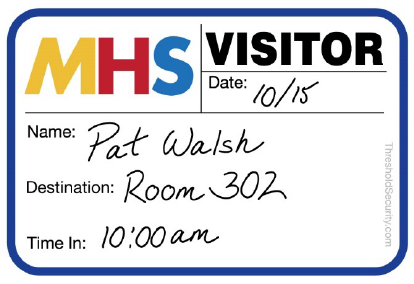
Expiring Visitor Badges - Valid
VALID today...
Expiring Visitor Badges - Void
. . . VOID tomorrow

Stock Badges

The most economical option and fastest delivery.

Custom Badges:

Have your school name, logo, and mascot imprinted in black ink.

TAB Expiring Badges in Books

Custom Color:

Have your school name, logo, and mascot imprinted with color ink. ($12 upcharge)

Visitor Sign In Books, visitor stickers, sign in books

Trusted by schools nationwide

Here are some prominent schools we work with:

Azusa Unified School District – Azusa, CA
Farmington Public Schools – Farmington, CT
KIPP SoCal Public Schools – San Diego, CA
KIPP Schools – New Orleans, LA
Lincoln Public School District – Lincoln, RI
New York Dept of Education – New York State
North Fork School District – Utica, OH
Seattle Public Schools – Seattle, WA
Synergy Public Schools – Phoenix, AZ

  • Deborah Norwood,
    “I enjoy using the products we order from THRESHOLD. It makes it less stressful for our receptionist to have to be burdened with writing each visitor/volunteers name down herself. With the Visitor Passes we have a private carbon copy for ourselves in case a verification is needed of who and when a person was in our building. The Tardy/Early dismissal passes are great for teacher which shows what time a student checked in late for school and the student or parent receives a copy of a check out for their record. The school has a back-up copy for student database.”
    Deborah Norwood,
    Receptionist, Mae Jemison High School, Huntsville, AL
  • Jean Smith,
    “The badge is very visible. Our school likes the fact that we have a formal badge and permanent log system in place. If any issue arises, we have written proof of what visitors were on our grounds. Parents feel comfortable and safe that this system is in place.”
    Jean Smith,
    Secretary, Jefferson Elementary School, Collinsville, IL
  • Diolanada Gonzalez,
    “We are pleased with the use of our Visitor's passes. In the past we really had no use for them. But with time and all the shootings that have been happening, we have to protect our students as well as our Faculty and Staff members. Thank you for making my life a little safer and better. God bless. ”
    Diolanada Gonzalez,
    St Joseph's School, Alice, TX
  • Terry Detorie,
    “In most cases the phrase "great quality at a reasonable price" is overused, but not when it relates to Data Management, Inc. Their customer service is outstanding, the quality of work is first rate and the price is right. Jodie Dario and Data Management are great to work with.”
    Terry Detorie,
    Bryn Mawr School, Baltimore, MD
  • Mrs. June M. Lentz,
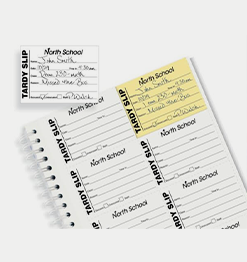
    “We use this book on a daily basis and we ask that the student present the "ticket" to the teacher. The teacher is asked to send the tardy slip home so the parent is aware that the student has had some tardy issues. These books assist us in communicating our concerns and awareness of absentees. I would recommend this book for any school to help stay on top of tardy concerns, which in time can result in absentees. Glad to have it in my office!”
    Mrs. June M. Lentz,
    Canal School, Westbrook, ME
  • Karen Nardi,
    “This new sign-in system has helped us to maintain an organized log while accomplishing our goal of streamlining all visitors, parents included, through the main office.”
    Karen Nardi,
    Secretary, St. Anthony School, Winsted, CT
  • Loretta Hannum,
    “We love the Visitor Pass System. The one-write feature definitely saves time and makes my job easier. The labels are just the right size, and your service and ability to customize to fit our needs are second to none.”
    Loretta Hannum,
    Security Officer, East Hartford Middle School, East Hartford, CT
  • Karen Barry,
    “Parents and visitors are much happier with the sign-in procedure, it's less complicated. We are very happy with Visitor Pass.”
    Karen Barry,
    F.E. Smith Elementary , Cortland, NY
  • Trekatta Brown,
    “These are great. We don't have to leave our desk as much. The parents like the idea of getting their own badges. The sign-in with the picture of McGruff makes them feel safe. We now have an official log book for record keeping.”
    Trekatta Brown,
    Kegotank Elementary School , Mappsville, VA

FAQs

A color change reaction is activated when the red ink makes contact with the adhesive. Once activated, the color change cannot be stopped. This color-changing process is both time- and temperature-sensitive. We have engineered the badges to remain valid for 4-6 hours at room temperature. Overnight, the badges have fully changed color.

Yes! Along with our stock badges, we offer custom-designed badges featuring your school logo, school mascot, and/or the school name in black ink. A proof will be provided for your approval before printing. Color imprints are also available for an additional fee.

  • eVisitor
  • Acre
  • Badgepass
  • Building Intelligence
  • EasyLobby
  • Envoy
  • HID SAFE
  • iLobby
  • LobbyGuard
  • Lobby Track
  • ProxyClick
  • Raptor
  • Savance
  • Splan
  • PassagePoint
  • Traction Guest
  • WhosOnLocation
  • ZAP-IN

Industry-leading turnaround!
Stock: 24-hour shipping. Custom: Ready in 2-3 days!

1) School Safety Frameworks and Guidelines

Several organizations publish best practices and safety frameworks to help schools design effective visitor management policies.

Examples:

  • PASS (Partner Alliance for Safer Schools) white papers and guidelines
  • U.S. Department of Education school safety guidance
  • School safety best practice guides from industry organizations

These frameworks provide recommendations on visitor screening procedures, entry points, policies, and security technologies.

2) Security Grants and Funding Programs

Many schools rely on grants and funding programs to implement visitor management solutions.

Common funding sources include:

  • School Violence Prevention Program (SVPP) grants
  • Homeland Security grants for school safety
  • State and district-level safety funding initiatives

These programs help schools pay for security technologies, access control systems, and visitor management software.

3) Training and Professional Development

Staff training is essential for implementing and maintaining visitor management policies.

Schools can access training through:

  • School safety conferences and workshops
  • Law enforcement partnerships
  • Online school security training programs

Training ensures staff understand visitor check-in procedures, emergency response protocols, and security policies.

4) Law Enforcement and School Resource Officers

Many schools partner with School Resource Officers (SROs) to improve safety procedures. These individuals support:

  • Safety planning
  • Crime prevention
  • Security assessments
  • Emergency response coordination

The involvement of SROs can help schools strengthen visitor screening procedures and security policies.


Budget Constraints
– Some challenges include upfront implementation costs, ongoing licensing or subscription fees, and hardware replacement and maintenance.

Staff Training and Adoption – Front office staff, administrators, and security personnel must learn how to use the system effectively. There may be a learning curve for non-technical staff, resistance to new processes, or the need for ongoing training when staff changes.

Integration with Existing Systems – Schools often use multiple systems such as student information systems (SIS), access control, and emergency notification platforms. There may be incompatibility with existing software.

Privacy and Data Security Concerns – Schools must handle personal information carefully, especially when collecting visitor IDs or storing personal data. Compliance with data protection laws (FERPA, state regulations) and secure storage of visitor data must be considered.

Policy and Process Changes – Schools often need to update policies to align with the new system. This may involve new visitor policies and procedures, staff enforcement of check-in rules and communication with parents and the community about why this change was made.

Ongoing Maintenance and Support – Like any technology, visitor management software platforms require updates, troubleshooting, and support. There may be downtime as well.


THRESHOLD’s eVisitor Software is an affordable yet robust visitor management software that allows your school to sign-in, identify, track, and run reports on all visitors.

eVisitor prints visitor badges customized with your school name, logo and/or mascot. It lets you design ID’s for all categories of visitors, even Parents. The fabric-friendly visitor badges stay on without harm to most clothing. Our most popular visitor badges are self-expiring, which means they change color overnight to prevent visitor badge reuse. A compatible printer, other necessary hardware, and a supply of labels are included with our visitor management software system packages. Training and setup are included. 

“This book of visitor badges is great! Easy to order with our custom logo and easy to use. I love having a duplicate copy in case we need to check on when a visitor signed in or out. Customer service is also wonderful. It was easy to get a hold of someone and get questions answered. I would definitely order again!”

– Emilee Hurlbert
Providence Christian School
Santa Barbara, CA

Control Who Crosses Your Threshold™

[searchwp_form id=2]

10% off your first order of Parking Decals and Hang Tags

Parking Hang Tags and Decals

SIMPLE SOLUTIONS FOR PARKING IDENTIFICATION

A simple, reliable way to manage parking for staff,
residents, students, and visitors.

Use code PARK10 during checkout.

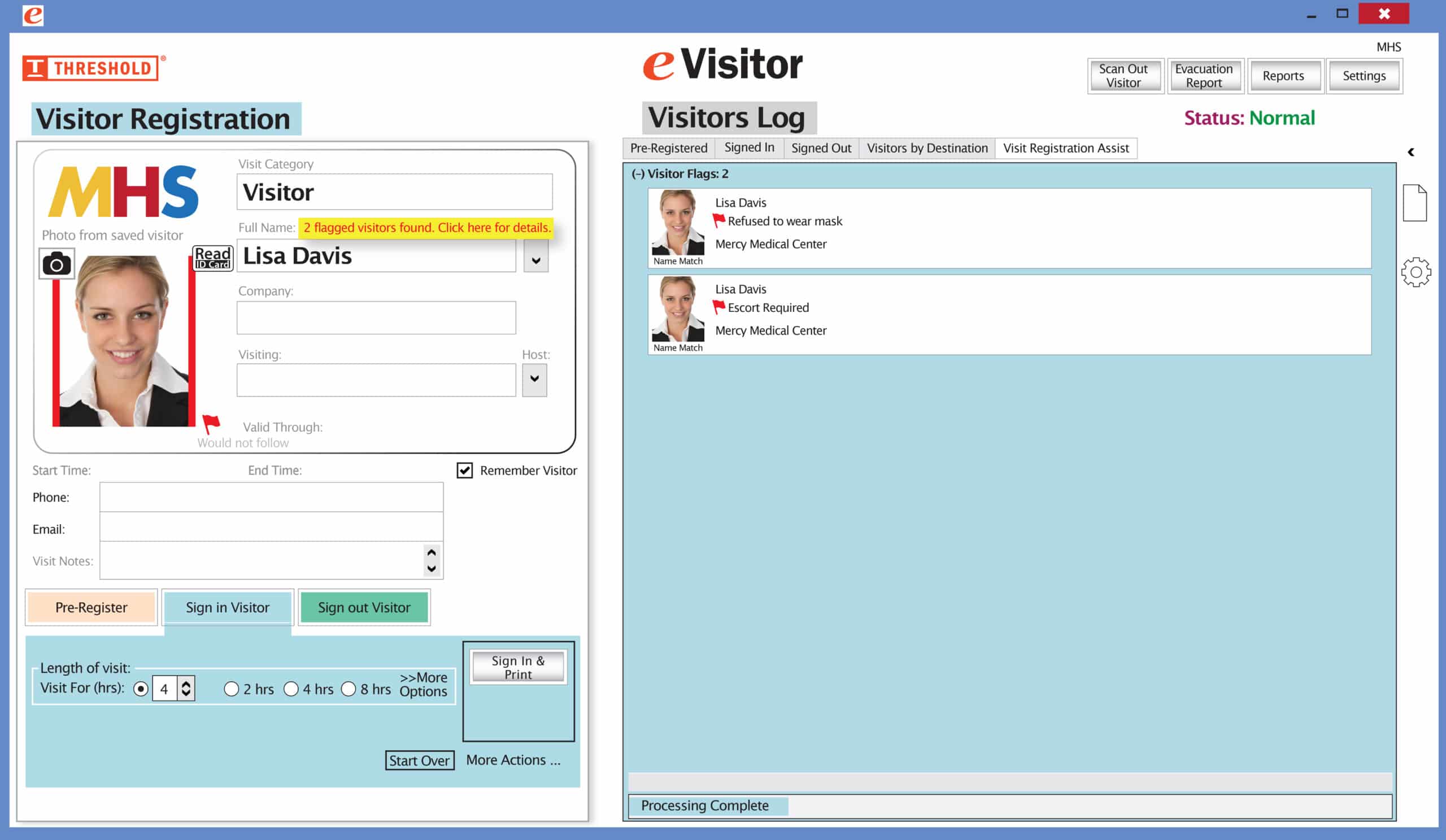
The Red Flag feature has been improved! Now you can set your system to not print a badge for any visitor record that has been previously marked with a Red Flag. The attendant will be prompted to redirect the visitor according to your security protocol.

Special New Feature: Red Flag, No Badge

Flag alertsIt’s easy and free to activate this feature. Simply call us and ask for “Red Flag, No Badge” to be turned on. Once it’s on, the above pop-up will come up when a red flagged visitor comes back. No badge will print and the attendant will need to follow the facility’s policy for handling red flagged visitors.

The flags and notes only show to the desk attendant, not the visitor. 

Please contact eVisitor Support with any questions on how to use Flags in your system. 

If you have seen a special offer in our advertising, mailings, or emails, this is the area to enter the Promo Code to receive that offer. After you’ve entered the Promo Code, click “Update cart” for the code to take effect. If you have any questions, please call 1-800-243-1969.